Routara MCP Server logo

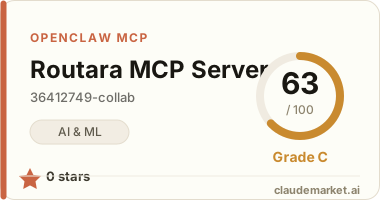
Routara MCP Server

36412749-collab/routara-mcp
0 starsv1.0.1STDIORegistry activeMITUpdated 2026-06-24Community

Is this your server?

Add your score badge to your README and get your server in front of 45k+ builders a month.

Works with

Claude CodeClaude DesktopCursorVS CodeClineCodex CLIOpenClaw+ any MCP client

Install to Claude Code

claude mcp add routara -- npx -y routara-mcp

Summary

Enables calling 48+ LLMs, image, and video models through Routara's API from Cursor, Claude Desktop, Windsurf, and other MCP clients. Supports chat completions, image generation, and video generation with a single API key.

Connect from your MCP client

One-click install

Add this server to your editor with a single click. Fill in any required credentials afterward.

Claude Code

Run this once and Claude Code registers the server for you:

claude mcp add routara -- npx -y routara-mcp

Claude Desktop

Add this to claude_desktop_config.json under Settings → Developer → Edit Config:

{
  "mcpServers": {
    "routara": {
      "command": "npx",
      "args": [
        "-y",
        "routara-mcp"
      ],
      "env": {
        "ROUTARA_API_KEY": "<ROUTARA_API_KEY>",
        "ROUTARA_API_BASE": "<ROUTARA_API_BASE>"
      }
    }
  }
}

Cursor

Add this to .cursor/mcp.json in your project (or ~/.cursor/mcp.json for all projects):

{
  "mcpServers": {
    "routara": {
      "command": "npx",
      "args": [
        "-y",
        "routara-mcp"
      ],
      "env": {
        "ROUTARA_API_KEY": "<ROUTARA_API_KEY>",
        "ROUTARA_API_BASE": "<ROUTARA_API_BASE>"
      }
    }
  }
}

Cline and other MCP clients

Most MCP clients accept the standard mcpServers JSON block:

{
  "mcpServers": {
    "routara": {
      "command": "npx",
      "args": [
        "-y",
        "routara-mcp"
      ],
      "env": {
        "ROUTARA_API_KEY": "<ROUTARA_API_KEY>",
        "ROUTARA_API_BASE": "<ROUTARA_API_BASE>"
      }
    }
  }
}

Codex CLI

Register the server with OpenAI's Codex CLI — run this once, or add the equivalent block to ~/.codex/config.toml:

codex mcp add routara --env ROUTARA_API_KEY=<ROUTARA_API_KEY> --env ROUTARA_API_BASE=<ROUTARA_API_BASE> -- npx -y routara-mcp

# or add to ~/.codex/config.toml:
[mcp_servers.routara]
command = "npx"
args = ["-y", "routara-mcp"]
[mcp_servers.routara.env]
ROUTARA_API_KEY = "<ROUTARA_API_KEY>"
ROUTARA_API_BASE = "<ROUTARA_API_BASE>"

OpenClaw

OpenClaw reads MCP servers from the mcp.servers section of ~/.openclaw/openclaw.json (managed via `openclaw mcp add` or the mcporter skill):

{
  "mcp": {
    "servers": {
      "routara": {
        "command": "npx",
        "args": [
          "-y",
          "routara-mcp"
        ],
        "env": {
          "ROUTARA_API_KEY": "<ROUTARA_API_KEY>",
          "ROUTARA_API_BASE": "<ROUTARA_API_BASE>"
        }
      }
    }
  }
}

Replace the <PLACEHOLDER> values with your own credentials — see the configuration table below.

Configuration

Routara MCP Server reads the following environment variables:

VariableRequired
ROUTARA_API_KEYRequired
ROUTARA_API_BASEOptional

README.md

Routara MCP Server

![npm version](https://www.npmjs.com/package/routara-mcp) ![MCP Registry](https://registry.modelcontextprotocol.io/v0.1/servers?search=io.github.36412749-collab%2Froutara-mcp) ![License: MIT](LICENSE)

Official Model Context Protocol server for Routara. Use Routara chat, image, and video models from Cursor, Claude Desktop, Codex, Windsurf, VS Code, and other MCP clients.

  • Website and setup guide: https://routara.ai/mcp
  • OpenAI-compatible API: https://api.routara.ai/v1
  • Create an API key: https://routara.ai/#auth

Install

npx -y routara-mcp

Or install the one-click routara-mcp.mcpb bundle from the latest GitHub release.

Tools

| Tool | Description | |---|---| | routara_list_models | Search and paginate the live model catalog | | routara_chat | Single-turn or multi-turn chat, including tool calls | | routara_generate_image | Text-to-image and reference-image generation | | routara_generate_video | Text-to-video and image-to-video submission | | routara_get_video_status | Poll an asynchronous video task |

MCP client configuration

{
  "mcpServers": {
    "routara": {
      "command": "npx",
      "args": ["-y", "routara-mcp"],
      "env": {
        "ROUTARA_API_KEY": "sk-or-v1-YOUR_KEY_HERE"
      }
    }
  }
}

OpenAI Codex

[mcp_servers.routara]
command = "npx"
args = ["-y", "routara-mcp"]
enabled = true

[mcp_servers.routara.env]
ROUTARA_API_KEY = "sk-or-v1-YOUR_KEY_HERE"

Environment

| Variable | Required | Default | |---|---:|---| | ROUTARA_API_KEY | Yes for tool calls | None | | ROUTARA_API_BASE | No | https://api.routara.ai/v1 | | ROUTARA_API_TIMEOUT_MS | No | 30000 |

The process can start and complete the MCP handshake without an API key. A key is resolved only when a Routara tool is invoked, which lets directories validate the server safely.

Reliability and compatibility

  • Requests time out instead of hanging indefinitely.
  • Transient network errors, HTTP 429, and HTTP 5xx responses are retried with bounded backoff.
  • API errors include the upstream request ID and retry delay when available.
  • routara_chat returns the complete OpenAI-compatible response, preserving reasoning content and tool calls.
  • Media parameters are forwarded only when explicitly supplied; model-specific support varies.

Development

npm ci
npm run build
npm test
npm run validate:registry
npm run build:mcpb

For a live API smoke test:

ROUTARA_API_KEY=sk-or-v1-... npm run test:live

Directory listings

Security

Do not commit API keys. If a key is exposed, revoke it in the Routara dashboard immediately. Please report security issues privately to support@routara.ai.

License

MIT

See related servers & alternatives →

Related MCP servers

Browse all →

Related guides

Hand-picked reading to help you choose and use AI & ML servers.