<p align="center"> <img src="docs/logo.svg" alt="ToolTrust" width="80" /> </p>
<h1 align="center">ToolTrust Scanner</h1>
<p align="center"> <strong>Static security scanner for MCP tool definitions</strong><br/> Trust grades (A–F) before your agent calls a tool — run as an <strong>MCP server</strong>, <strong>CLI</strong>, or <strong>CI</strong> check. </p>
<p align="center"> <a href="https://github.com/AgentSafe-AI/tooltrust-scanner/actions/workflows/ci.yml"><img src="https://github.com/AgentSafe-AI/tooltrust-scanner/actions/workflows/ci.yml/badge.svg" alt="CI" /></a> <a href="https://github.com/AgentSafe-AI/tooltrust-scanner/actions/workflows/security.yml"><img src="https://github.com/AgentSafe-AI/tooltrust-scanner/actions/workflows/security.yml/badge.svg" alt="Security" /></a> <a href="https://goreportcard.com/report/github.com/AgentSafe-AI/tooltrust-scanner"><img src="https://goreportcard.com/badge/github.com/AgentSafe-AI/tooltrust-scanner" alt="Go Report Card" /></a> <a href="LICENSE"><img src="https://img.shields.io/badge/License-MIT-blue.svg" alt="License: MIT" /></a> <a href="https://github.com/AgentSafe-AI/tooltrust-scanner/stargazers"><img src="https://img.shields.io/github/stars/AgentSafe-AI/tooltrust-scanner?style=social" alt="GitHub stars" /></a> </p>
---
Every MCP tool your agent calls is an attack surface — prompt injection, data exfiltration, privilege escalation, supply-chain backdoors. ToolTrust scans tool definitions before your agent trusts them and assigns a trust grade (A–F) so you know the risk. ToolTrust is an MCP Server and a CLI/CI tool — not a host, gateway, or runtime proxy. Coverage is expanding beyond today’s MCP-focused workflows; skills and additional agent tool formats are on the roadmap.
<p align="center"> <strong><a href="https://www.tooltrust.dev/">Browse the live ToolTrust Directory</a></strong> — trust grades and scan-backed reports before you install.<br/><br/> <a href="https://www.tooltrust.dev/"><img src="docs/tooltrust-ui.png" alt="ToolTrust Directory UI" /></a> </p>
<p align="center"><em>MCP demo: run a full config scan from your agent.</em></p>
Scan your setup in 30 seconds
Add ToolTrust as an MCP server and let your agent audit its own tools (stdio transport — no network listener; your host launches it as a subprocess):
{
  "mcpServers": {
    "tooltrust": {
      "command": "npx",
      "args": ["-y", "tooltrust-mcp"]
    }
  }
}
Then ask your agent: "Run tooltrust_scan_config"
It reads your MCP config, connects to each server in parallel, scans every tool, and returns a risk report with grades and enforcement decisions — all in seconds.
Or use the CLI:
curl -sfL https://raw.githubusercontent.com/AgentSafe-AI/tooltrust-scanner/main/install.sh | bash
tooltrust-scanner scan --server "npx -y @modelcontextprotocol/server-filesystem /tmp"
Example snapshot (research cohort)
The public ToolTrust Directory holds current grades and aggregates as scanning scales. One published research pass illustrates the shape of the problem — 207 MCP servers, 3,235 tools — not an exhaustive count of everything we scan today:
| Metric | Count | |--------|-------| | MCP servers in cohort | 207 | | Individual tools analyzed | 3,235 | | Total security findings | 3,613 | | Servers with at least one finding | 145 (70%) | | Servers with a clean Grade A | 22 (10%) | | Servers with arbitrary code execution | 16 |
Only 10% of servers in that cohort had a clean Grade A. See tooltrust.dev for up-to-date directory-wide results (and use this table only as a labeled snapshot).
🔍 What it catches
ToolTrust runs 16 static tool-definition rules in this repo (AS-001–AS-011, AS-013–AS-017) plus 2 source-scan rules for embedded MCP implementations (AS-018, AS-019). AS-012 (tool drift) is evaluated in the ToolTrust Directory when new scan results are compared to previous runs.
| ID | Severity | Detects | |----|:--------:|---------| | 🛡️ AS‑001 | Critical | Tool Poisoning — Adversarial prompts hidden in tool descriptions (ignore previous instructions, <INST>) | | 🔑 AS‑002 | High/Low | Permission Surface — exec, network, db, fs beyond stated purpose; over-broad input schema | | 📐 AS‑003 | High | Scope Mismatch — Tool name contradicts its permissions (e.g. read_config with exec) | | 📦 AS‑004 | High/Critical | Supply Chain CVEs — Known CVEs in bundled dependencies via OSV | | 🔓 AS‑005 | High | Privilege Escalation — admin/:write OAuth scopes; sudo/impersonate in descriptions | | ⚡ AS‑006 | Critical | Arbitrary Code Execution — evaluate_script, _evaluate suffix, execute javascript, page.evaluate() patterns | | ℹ️ AS‑007 | Info | Insufficient Tool Data — Tool lacks a valid description or schema | | 🚨 AS‑008 | Critical | Known Compromised Package — Offline embedded blacklist of confirmed supply-chain attacks (LiteLLM 1.82.7/1.82.8, Trivy v0.69.4-v0.69.6, Langflow <1.9.0, Axios 1.14.1/0.30.4). Zero-latency, no network required. | | 🔤 AS‑009 | Medium | Typosquatting — Tool name within edit-distance 2 of a well-known MCP tool, suggesting impersonation | | 🗝️ AS‑010 | Medium | Secret Handling — Input params accepting API keys/passwords; credentials logged insecurely | | ⚡ AS‑011 | Low | DoS Resilience — No rate-limit, timeout, or retry config on network/exec tools | | 🔄 AS‑012 | High | Rug-Pull — Tool set changed between scans of the same version without a version bump (directory pipeline only) | | 👥 AS‑013 | High/Medium | Tool Shadowing — Duplicate or near-duplicate tool name hijacks calls intended for a trusted tool | | ℹ️ AS‑014 | Info | Dependency Inventory Unavailable — MCP server exposed neither metadata.dependencies nor a repo_url, so supply-chain coverage is limited and must be treated as incomplete | | ⚠️ AS‑015 | Medium/High | Suspicious NPM Lifecycle Script — npm dependency publishes preinstall / postinstall / similar install-time scripts; severity rises for remote-fetch or inline-execution patterns | | 🚨 AS‑016 | Critical | Suspicious NPM IOC Dependency — published npm metadata or install-time scripts reference a known malicious IOC package, domain, URL, or reviewed script pattern such as plain-crypto-js, even if the top-level package name is new | | ⚠️ AS‑017 | Medium | Suspicious Data Exfiltration Description — tool description explicitly suggests sending user data, content, or conversation history to external / remote endpoints, without classifying it as prompt injection | | ℹ️ AS‑018 | Info | Embedded MCP Server Detected — source-level MCP SDK usage was found, but tools could not be enumerated from a manifest or live handshake, so manual review is still required | | 🔓 AS‑019 | High | Unauthenticated MCP Route Exposure — embedded MCP HTTP routes expose the same handler without equivalent authentication middleware |
Full rule details: docs/RULES.md
How it works
- Parse — Connects to a live MCP server (or reads a JSON file) and extracts every tool definition
- Analyze — Runs tool-definition rules against each tool's name, description, schema, and permissions; source scans add embedded MCP implementation checks
- Grade — Assigns a numeric risk score and letter grade (A–F) per tool
- Enforce — Maps each grade to a gateway policy:
ALLOW,REQUIRE_APPROVAL, orBLOCK
Pure static analysis. No LLM calls. No data leaves your machine (except optional CVE lookups). Runs in milliseconds. Deterministic and reproducible.
Install
# One-line install (macOS / Linux)
curl -sfL https://raw.githubusercontent.com/AgentSafe-AI/tooltrust-scanner/main/install.sh | bash

# Go
go install github.com/AgentSafe-AI/tooltrust-scanner/cmd/tooltrust-scanner@latest

# npx (no install needed)
npx -y tooltrust-mcp
MCP tools
When running as an MCP server, ToolTrust exposes these tools to your agent:
| Tool | What it does | Data access | |------|-------------|-------------| | tooltrust_scan_config | Scan all MCP servers in your .mcp.json or ~/.claude.json | Reads local config; spawns each server as subprocess | | tooltrust_scan_server | Launch and scan a specific MCP server by command | Runs user-supplied command as subprocess (stdio) | | tooltrust_scanner_scan | Scan a raw JSON blob of tool definitions | In-memory only; no subprocess or network | | tooltrust_lookup | Look up a server's trust grade from the ToolTrust Directory | Network request to ToolTrust Directory API | | tooltrust_list_rules | List all built-in security rules | Local catalog only |
CI / GitHub Actions
Block risky MCP servers in your pipeline:
- name: Audit MCP Server
  uses: AgentSafe-AI/tooltrust-scanner@main
  with:
    server: "npx -y @modelcontextprotocol/server-filesystem /tmp"
    fail-on: "approval"
Deployment and security
For deployment, use the install paths in Install or the workflow example in CI / GitHub Actions. For vulnerability reporting and disclosure policy, see docs/SECURITY.md.
Scan-before-install gate
Never add an untrusted MCP server to your config again:
# Scans the server, then auto-installs if Grade A/B, prompts on C/D, blocks on F
tooltrust-scanner gate @modelcontextprotocol/server-memory -- /tmp

# Replace `claude mcp add` with a scanned install
alias mcp-add='tooltrust-scanner gate'
Full gate options and pre-commit hook setup: docs/USAGE.md
Add a trust badge to your project
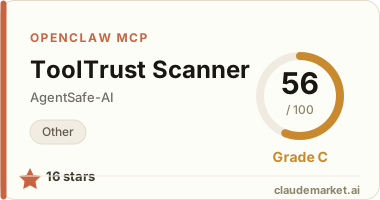
If your MCP server passes ToolTrust, let people know:
[](https://www.tooltrust.dev/)
---
Supply-chain alert: ToolTrust detects and blocks confirmed compromised packages including LiteLLM v1.82.7/8 (TeamPCP backdoor), Trivy v0.69.4–v0.69.6, and Langflow < 1.9.0. If you encounter a Grade F with rule AS-008, remove the package immediately and rotate all credentials.
---
Usage guide · Developer guide · Contributing · Deployment & security · Changelog · Security · License: MIT