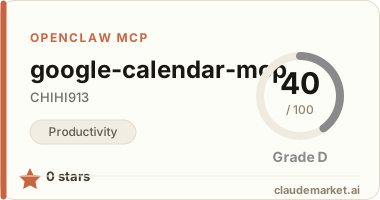
Featured

Deploy OpenClaw in 60 seconds — 20% off logoDeploy OpenClaw in 60 seconds — 20% off

Launch OpenClaw on Hostinger in about 60 seconds and keep your agent live 24/7. Our referral link gives you 20% off, no coupon code needed.

Launch on Hostinger
Run your Hermes agent on Hostinger, fully managed logoRun your Hermes agent on Hostinger, fully managed

Launch Hermes on Hostinger in one click, fully managed, no VPS knowledge needed. Use code ZACAARON10 for 10% off.

Launch on Hostinger
Crawl and scrape any site into clean data, 10% off logoCrawl and scrape any site into clean data, 10% off

Firecrawl crawls and scrapes any site into clean markdown for your agent. Get 1,000 free credits, and new users get 10% off their first purchase.

Try Firecrawl free
Your own AI agent, running 24/7 with QwikClaw logoYour own AI agent, running 24/7 with QwikClaw

QwikClaw sets up and runs an always-on OpenClaw agent for you. One click, no config files, no server setup.

Deploy now
One API to scrape, enrich, and extract the internet. logoOne API to scrape, enrich, and extract the internet.

Context.dev gives your agents a single API to scrape, enrich, and extract live web data — no proxies, no parsers, no maintenance.

Start building free
SetupClaw: done-for-you OpenClaw for founders & exec teams logoSetupClaw: done-for-you OpenClaw for founders & exec teams

White-glove OpenClaw for founders and exec teams (4–50+ employees): we install, harden, integrate your tools, and maintain it — secured from day one.

Get it set up for you
SEO data APIs for your agent, $1 free credit logoSEO data APIs for your agent, $1 free credit

DataForSEO gives your agent live access to SERP results, keyword data, backlinks, and on-page SEO data through one API. New accounts get a $1 credit, good for up to 20,000 keyword or backlink lookups.

Try DataForSEO free
Reach 47,000+ AI builders

A flat monthly placement in front of developers actively installing AI tools. No lock-in, cancel anytime.

Advertise here

Works with

Claude CodeClaude DesktopCursorVS CodeClineCodex CLIOpenClaw+ any MCP client

Install to Claude Code

This server doesn't publish a one-line install command. Follow the setup in the source repository.

Summary

Enables natural language interaction with Google Calendar, including creating, updating, deleting events and managing recurring events through MCP.

README.md

Google Calendar MCP Server

Google Calendar APIを操作するMCP (Model Context Protocol) サーバーです。

機能

カレンダー操作

  • list_calendars - カレンダー一覧の取得
  • get_calendar - カレンダー詳細の取得

イベント操作

  • list_events - イベント一覧の取得
  • get_event - イベント詳細の取得
  • search_events - イベントの検索
  • create_event - イベントの作成(定期イベント対応)
  • update_event - イベントの更新
  • delete_event - イベントの削除

定期イベント操作

  • update_recurring_event - 定期イベントの更新
  • thisEventOnly: この予定のみ
  • all: すべての予定
  • thisAndFollowing: これ以降の予定
  • delete_recurring_instance - 定期イベントの特定インスタンス削除

ユーティリティ

  • get_freebusy - 空き時間情報の取得
  • list_colors - 利用可能なカラーパレットの取得

セットアップ

1. Google Cloud Consoleでの準備

  1. Google Cloud Consoleでプロジェクトを作成
  2. Google Calendar APIを有効化
  3. OAuth 2.0クライアントIDを作成
  • アプリケーションの種類: ウェブアプリケーション
  • 承認済みのリダイレクトURI: http://localhost:8080/callback
  1. 認証情報JSONファイルをダウンロード

2. 環境変数の設定

export CLIENT_SECRET_PATH="/path/to/client_secret.json"
export TOKEN_PATH="/path/to/token.json"

3. インストールとビルド

pnpm install
pnpm build

4. 初回認証

サーバーを起動すると、初回はブラウザでGoogle認証を求められます。認証後、トークンが保存され、以降は自動的に認証されます。

使用方法

Claude Desktopでの設定

claude_desktop_config.jsonに以下を追加:

{
  "mcpServers": {
    "google-calendar": {
      "command": "node",
      "args": ["/path/to/google-calendar-mcp/dist/index.js"],
      "env": {
        "CLIENT_SECRET_PATH": "/path/to/client_secret.json",
        "TOKEN_PATH": "/path/to/token.json"
      }
    }
  }
}

Claude Codeでの設定

claude mcp add google-calendar node /path/to/google-calendar-mcp/dist/index.js \
  -e CLIENT_SECRET_PATH=/path/to/client_secret.json \
  -e TOKEN_PATH=/path/to/token.json

使用例

イベント一覧の取得

今日の予定を教えて

イベントの作成

明日の14時から15時に「打ち合わせ」という予定を作成して

定期イベントの作成

毎週月曜日の10時から11時に「週次ミーティング」を10回作成して

定期イベントの個別編集

今週の週次ミーティングだけ時間を11時からに変更して

技術スタック

  • TypeScript
  • Node.js >= 18.0.0
  • @modelcontextprotocol/sdk
  • googleapis
  • zod

ライセンス

MIT

See related servers & alternatives →

Related MCP servers

Browse all →

Related guides

Hand-picked reading to help you choose and use Productivity servers.