





Featured

Deploy OpenClaw in 60 seconds — 20% off logoDeploy OpenClaw in 60 seconds — 20% off

Launch OpenClaw on Hostinger in about 60 seconds and keep your agent live 24/7. Our referral link gives you 20% off, no coupon code needed.

Launch on Hostinger
Run your Hermes agent on Hostinger, fully managed logoRun your Hermes agent on Hostinger, fully managed

Launch Hermes on Hostinger in one click, fully managed, no VPS knowledge needed. Use code ZACAARON10 for 10% off.

Launch on Hostinger
Crawl and scrape any site into clean data, 10% off logoCrawl and scrape any site into clean data, 10% off

Firecrawl crawls and scrapes any site into clean markdown for your agent. Get 1,000 free credits, and new users get 10% off their first purchase.

Try Firecrawl free
Your own AI agent, running 24/7 with QwikClaw logoYour own AI agent, running 24/7 with QwikClaw

QwikClaw sets up and runs an always-on OpenClaw agent for you. One click, no config files, no server setup.

Deploy now
One API to scrape, enrich, and extract the internet. logoOne API to scrape, enrich, and extract the internet.

Context.dev gives your agents a single API to scrape, enrich, and extract live web data — no proxies, no parsers, no maintenance.

Start building free
SetupClaw: done-for-you OpenClaw for founders & exec teams logoSetupClaw: done-for-you OpenClaw for founders & exec teams

White-glove OpenClaw for founders and exec teams (4–50+ employees): we install, harden, integrate your tools, and maintain it — secured from day one.

Get it set up for you
SEO data APIs for your agent, $1 free credit logoSEO data APIs for your agent, $1 free credit

DataForSEO gives your agent live access to SERP results, keyword data, backlinks, and on-page SEO data through one API. New accounts get a $1 credit, good for up to 20,000 keyword or backlink lookups.

Try DataForSEO free
Reach 47,000+ AI builders

A flat monthly placement in front of developers actively installing AI tools. No lock-in, cancel anytime.

Advertise here
Figma Context MCP logo

Figma Context MCP

GLips/Figma-Context-MCP
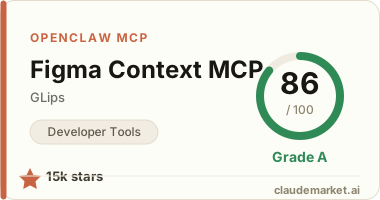
15,223 starsv0.10.0STDIORegistry activeMITUpdated 2026-06-24Community

Works with

Claude CodeClaude DesktopCursorVS CodeClineCodex CLIOpenClaw+ any MCP client

Install to Claude Code

claude mcp add figma-context -- npx -y figma-developer-mcp

Summary

The Figma Context MCP server feeds Figma design data to a coding agent, so it can turn a frame or layout into accurate front-end code with the right spacing and styles.

Connect from your MCP client

One-click install

Add this server to your editor with a single click. Fill in any required credentials afterward.

Claude Code

Run this once and Claude Code registers the server for you:

claude mcp add figma-context -- npx -y figma-developer-mcp

Claude Desktop

Add this to claude_desktop_config.json under Settings → Developer → Edit Config:

{
  "mcpServers": {
    "figma-context": {
      "command": "npx",
      "args": [
        "-y",
        "figma-developer-mcp"
      ],
      "env": {
        "FIGMA_API_KEY": "<FIGMA_API_KEY>"
      }
    }
  }
}

Cursor

Add this to .cursor/mcp.json in your project (or ~/.cursor/mcp.json for all projects):

{
  "mcpServers": {
    "figma-context": {
      "command": "npx",
      "args": [
        "-y",
        "figma-developer-mcp"
      ],
      "env": {
        "FIGMA_API_KEY": "<FIGMA_API_KEY>"
      }
    }
  }
}

Cline and other MCP clients

Most MCP clients accept the standard mcpServers JSON block:

{
  "mcpServers": {
    "figma-context": {
      "command": "npx",
      "args": [
        "-y",
        "figma-developer-mcp"
      ],
      "env": {
        "FIGMA_API_KEY": "<FIGMA_API_KEY>"
      }
    }
  }
}

Codex CLI

Register the server with OpenAI's Codex CLI — run this once, or add the equivalent block to ~/.codex/config.toml:

codex mcp add figma-context --env FIGMA_API_KEY=<FIGMA_API_KEY> -- npx -y figma-developer-mcp

# or add to ~/.codex/config.toml:
[mcp_servers.figma-context]
command = "npx"
args = ["-y", "figma-developer-mcp"]
[mcp_servers.figma-context.env]
FIGMA_API_KEY = "<FIGMA_API_KEY>"

OpenClaw

OpenClaw reads MCP servers from the mcp.servers section of ~/.openclaw/openclaw.json (managed via `openclaw mcp add` or the mcporter skill):

{
  "mcp": {
    "servers": {
      "figma-context": {
        "command": "npx",
        "args": [
          "-y",
          "figma-developer-mcp"
        ],
        "env": {
          "FIGMA_API_KEY": "<FIGMA_API_KEY>"
        }
      }
    }
  }
}

Replace the <PLACEHOLDER> values with your own credentials — see the configuration table below.

Configuration

Figma Context MCP reads the following environment variable:

VariableRequired
FIGMA_API_KEYRequired

README.md

<a href="https://www.framelink.ai/?utm_source=github&utm_medium=referral&utm_campaign=readme" target="_blank" rel="noopener"> <picture> <source media="(prefers-color-scheme: dark)" srcset="https://www.framelink.ai/github/HeaderDark.png" /> <img alt="Framelink" src="https://www.framelink.ai/github/HeaderLight.png" /> </picture> </a>

<div align="center"> <h1>Framelink MCP for Figma</h1> <h3>Give your coding agent access to your Figma data.<br/>Implement designs in any framework in one-shot.</h3> <a href="https://npmcharts.com/compare/figma-developer-mcp?interval=30"> <img alt="weekly downloads" src="https://img.shields.io/npm/dm/figma-developer-mcp.svg"> </a> <a href="https://github.com/GLips/Figma-Context-MCP/blob/main/LICENSE"> <img alt="MIT License" src="https://img.shields.io/github/license/GLips/Figma-Context-MCP" /> </a> <a href="https://framelink.ai/discord"> <img alt="Discord" src="https://img.shields.io/discord/1352337336913887343?color=7389D8&label&logo=discord&logoColor=ffffff" /> </a> <br /> <a href="https://twitter.com/glipsman"> <img alt="Twitter" src="https://img.shields.io/twitter/url?url=https%3A%2F%2Fx.com%2Fglipsman&label=%40glipsman" /> </a> </div>

<br/>

Give Cursor and other AI-powered coding tools access to your Figma files with this Model Context Protocol server.

When Cursor has access to Figma design data, it's way better at one-shotting designs accurately than alternative approaches like pasting screenshots.

<h3><a href="https://www.framelink.ai/docs/quickstart?utm_source=github&utm_medium=referral&utm_campaign=readme">See quickstart instructions →</a></h3>

Demo

Watch a demo of building a UI in Cursor with Figma design data

![Watch the video](https://youtu.be/6G9yb-LrEqg)

How it works

  1. Open your IDE's chat (e.g. agent mode in Cursor).
  2. Paste a link to a Figma file, frame, or group.
  3. Ask Cursor to do something with the Figma file—e.g. implement the design.
  4. Cursor will fetch the relevant metadata from Figma and use it to write your code.

This MCP server is specifically designed for use with Cursor. Before responding with context from the Figma API, it simplifies and translates the response so only the most relevant layout and styling information is provided to the model.

Reducing the amount of context provided to the model helps make the AI more accurate and the responses more relevant.

Getting Started

Many code editors and other AI clients use a configuration file to manage MCP servers.

The figma-developer-mcp server can be configured by adding the following to your configuration file.

NOTE: You will need to create a Figma access token to use this server. Instructions on how to create a Figma API access token can be found here.

MacOS / Linux

{
  "mcpServers": {
    "Framelink MCP for Figma": {
      "command": "npx",
      "args": ["-y", "figma-developer-mcp", "--figma-api-key=YOUR-KEY", "--stdio"]
    }
  }
}

Windows

{
  "mcpServers": {
    "Framelink MCP for Figma": {
      "command": "cmd",
      "args": ["/c", "npx", "-y", "figma-developer-mcp", "--figma-api-key=YOUR-KEY", "--stdio"]
    }
  }
}

Or you can set FIGMA_API_KEY and PORT in the env field.

If you need more information on how to configure the Framelink MCP for Figma, see the Framelink docs.

Star History

<a href="https://star-history.com/#GLips/Figma-Context-MCP"><img src="https://api.star-history.com/svg?repos=GLips/Figma-Context-MCP&type=Date" alt="Star History Chart" width="600" /></a>

Learn More

The Framelink MCP for Figma is simple but powerful. Get the most out of it by learning more at the Framelink site.

See related servers & alternatives →

Related MCP servers

Browse all →

Related guides

Hand-picked reading to help you choose and use Developer Tools servers.