




Featured

Deploy OpenClaw in 60 seconds — 20% off logoDeploy OpenClaw in 60 seconds — 20% off

Launch OpenClaw on Hostinger in about 60 seconds and keep your agent live 24/7. Our referral link gives you 20% off, no coupon code needed.

Launch on Hostinger
Run your Hermes agent on Hostinger, fully managed logoRun your Hermes agent on Hostinger, fully managed

Launch Hermes on Hostinger in one click, fully managed, no VPS knowledge needed. Use code ZACAARON10 for 10% off.

Launch on Hostinger
Crawl and scrape any site into clean data, 10% off logoCrawl and scrape any site into clean data, 10% off

Firecrawl crawls and scrapes any site into clean markdown for your agent. Get 1,000 free credits, and new users get 10% off their first purchase.

Try Firecrawl free
6,000+ web scrapers for your AI agent, start free logo6,000+ web scrapers for your AI agent, start free

Apify gives your agent live web data: 6,000+ prebuilt scrapers and actors, MCP-ready. Sign up free with $5 in usage credits.

Try Apify free
One API to scrape, enrich, and extract the internet. logoOne API to scrape, enrich, and extract the internet.

Context.dev gives your agents a single API to scrape, enrich, and extract live web data — no proxies, no parsers, no maintenance.

Start building free
SetupClaw: done-for-you OpenClaw for founders & exec teams logoSetupClaw: done-for-you OpenClaw for founders & exec teams

White-glove OpenClaw for founders and exec teams (4–50+ employees): we install, harden, integrate your tools, and maintain it — secured from day one.

Get it set up for you
SEO data APIs for your agent, $1 free credit logoSEO data APIs for your agent, $1 free credit

DataForSEO gives your agent live access to SERP results, keyword data, backlinks, and on-page SEO data through one API. New accounts get a $1 credit, good for up to 20,000 keyword or backlink lookups.

Try DataForSEO free
Reach 48,000+ AI builders

A flat monthly placement in front of developers actively installing AI tools. No lock-in, cancel anytime.

Advertise here

Works with

Claude CodeClaude DesktopCursorVS CodeClineCodex CLIOpenClaw+ any MCP client

Install to Claude Code

This server doesn't publish a one-line install command. Follow the setup in the source repository.

Summary

Provides tools for Synology NAS operations (login, file management) and Chrome browser history/bookmark retrieval.

README.md

MyMCP

個人使用的 MCP Server。 透過FastMCP開發。

目前功能清單:

部屬在Horzion prefect雲端上

app.py

  • add:將兩個數字相加,這是最基礎的測試功能。
  • synology_login:登入 Synology NAS
  • synology_status:查看 NAS 連線狀態
  • synology_list_shares:列出所有共享資料夾
  • synology_list_directory:列出目錄內容(含大小、時間等中繼資料)
  • synology_get_file_info:取得檔案/資料夾詳細資訊
  • synology_search_files:以模式搜尋檔案(如 *.pdf
  • synology_get_file_content:讀取文字檔案內容
  • synology_create_file:建立文字檔案
  • synology_create_directory:建立資料夾
  • synology_delete:刪除檔案或資料夾
  • synology_rename:重新命名檔案或資料夾
  • synology_move:移動檔案或資料夾到新位置

環境變數需求

在 Horizon Prefect 上需設定以下環境變數: `` SYNOLOGY_URL=http://NAS_位址:5000 SYNOLOGY_USERNAME=你的帳號 SYNOLOGY_PASSWORD=你的密碼 ``

部屬在本地端

chrome_mcp.py

  • chrome_tools:提供 Chrome 瀏覽器歷史紀錄與書籤檢索功能。
  • search_chrome_history:依關鍵字搜尋瀏覽歷史(標題/URL)
  • get_recent_history:取得最近 N 小時內的瀏覽紀錄
  • search_chrome_bookmarks:依關鍵字搜尋書籤
  • list_chrome_bookmark_folders:列出所有書籤資料夾結構

mcp server 本地設定範例

"mcpServers": {
    "ChromeMCP": {
      "command": "uv",
      "args": [
        "--directory",
        "c:/project/github_push/MyMCP",
        "run",
        "python",
        "chrome_mcp.py"
      ],
      "type": "stdio"
    }
}

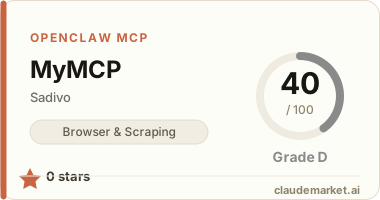
See related servers & alternatives →

Related MCP servers

Browse all →

Related guides

Hand-picked reading to help you choose and use Browser & Scraping servers.