Featured

Deploy OpenClaw in 60 seconds — 20% off logoDeploy OpenClaw in 60 seconds — 20% off

Launch OpenClaw on Hostinger in about 60 seconds and keep your agent live 24/7. Our referral link gives you 20% off, no coupon code needed.

Launch on Hostinger
Run your Hermes agent on Hostinger, fully managed logoRun your Hermes agent on Hostinger, fully managed

Launch Hermes on Hostinger in one click, fully managed, no VPS knowledge needed. Use code ZACAARON10 for 10% off.

Launch on Hostinger
Crawl and scrape any site into clean data, 10% off logoCrawl and scrape any site into clean data, 10% off

Firecrawl crawls and scrapes any site into clean markdown for your agent. Get 1,000 free credits, and new users get 10% off their first purchase.

Try Firecrawl free
6,000+ web scrapers for your AI agent, start free logo6,000+ web scrapers for your AI agent, start free

Apify gives your agent live web data: 6,000+ prebuilt scrapers and actors, MCP-ready. Sign up free with $5 in usage credits.

Try Apify free
One API to scrape, enrich, and extract the internet. logoOne API to scrape, enrich, and extract the internet.

Context.dev gives your agents a single API to scrape, enrich, and extract live web data — no proxies, no parsers, no maintenance.

Start building free
SetupClaw: done-for-you OpenClaw for founders & exec teams logoSetupClaw: done-for-you OpenClaw for founders & exec teams

White-glove OpenClaw for founders and exec teams (4–50+ employees): we install, harden, integrate your tools, and maintain it — secured from day one.

Get it set up for you
SEO data APIs for your agent, $1 free credit logoSEO data APIs for your agent, $1 free credit

DataForSEO gives your agent live access to SERP results, keyword data, backlinks, and on-page SEO data through one API. New accounts get a $1 credit, good for up to 20,000 keyword or backlink lookups.

Try DataForSEO free
Reach 48,000+ AI builders

A flat monthly placement in front of developers actively installing AI tools. No lock-in, cancel anytime.

Advertise here

Works with

Claude CodeClaude DesktopCursorVS CodeClineCodex CLIOpenClaw+ any MCP client

Install to Claude Code

This server doesn't publish a one-line install command. Follow the setup in the source repository.

Summary

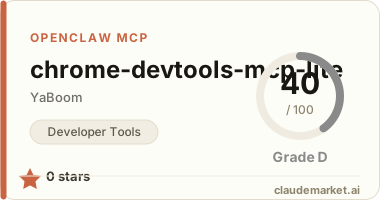
A lightweight MCP server that enables AI assistants to control Chrome DevTools via CDP for debugging tasks like navigation, screenshots, and JavaScript execution.

README.md

🔧 chrome-devtools-mcp-lite

⚠️ 实验性项目:这只是个技术探索,代码不完整,仅供学习参考

一个简化版的 Chrome DevTools MCP Server,让AI助手能通过 Model Context Protocol (MCP) 控制Chrome浏览器进行调试。

为什么会有这个项目?

今天(2026-02-12)在GitHub Trending上看到了 chrome-devtools-mcp,觉得很酷——让AI编程助手能直接操控Chrome DevTools,相当于给AI装了一双"眼睛"和"手"。

但那个项目功能太全了(支持网络面板、性能分析、断点调试...),我就想:能不能做个轻量版,先实现最基础的功能?

于是就有了这个实验项目。

✨ 已实现的功能

| 功能 | 状态 | 说明 | |------|------|------| | 连接Chrome | ✅ | 通过CDP协议连接 | | 页面导航 | ✅ | 访问指定URL | | 截图 | ✅ | 截取当前页面(PNG/JPEG)| | 执行JS | ✅ | 在页面上下文中运行代码 | | 获取DOM | ✅ | 简化版DOM结构 | | 网络监控 | ❌ | 还没做 | | 性能分析 | ❌ | 还没做 | | 断点调试 | ❌ | 还没做 |

🚀 快速开始

1. 准备Chrome

需要先启动Chrome并开启远程调试模式:

# Mac
/Applications/Google\ Chrome.app/Contents/MacOS/Google\ Chrome --remote-debugging-port=9222

# Linux
google-chrome --remote-debugging-port=9222

# Windows
chrome.exe --remote-debugging-port=9222

2. 安装依赖

npm install

3. 构建

npm run build

4. 配置MCP

在AI助手的MCP配置中添加(如 Claude Desktop):

{
  "mcpServers": {
    "chrome-devtools": {
      "command": "node",
      "args": ["/path/to/chrome-devtools-mcp-lite/dist/index.js"]
    }
  }
}

5. 使用

启动AI助手后,可以这么用:

  • "连接Chrome浏览器" → 调用 chrome_connect
  • "打开 https://example.com 并截图" → 调用 chrome_navigate + chrome_screenshot
  • "执行代码获取页面标题" → 调用 chrome_evaluate

🧪 实验记录

experiments/ 目录,记录了开发过程中的踩坑经历:

  • v0-cdp-raw.js - 第一版直接用CDP,没用MCP封装,太底层
  • v1-mcp-wrapper.js - 踩了MCP SDK版本兼容性的坑(0.x vs 1.x)
  • v2-screenshot-race-condition.js - 截图时序问题,加了临时解决方案

📝 TODO

  • [ ] 支持更多CDP域(Network、Performance、Debugger)
  • [ ] 完善错误处理(现在很粗糙)
  • [ ] 支持多标签页管理
  • [ ] 添加单元测试(现在完全没测试)
  • [ ] 截图时序问题优化(不用硬延迟)
  • [ ] 支持移动端模拟

⚠️ 已知问题

  1. 连接问题:如果Chrome没启动远程调试模式,会直接报错退出
  2. 截图时序:偶尔会有时序问题,代码里用1秒延迟临时解决
  3. DOM操作:不支持复杂的DOM操作链,只能简单查询
  4. 错误信息:错误提示对用户不太友好

📦 技术栈

🤔 我的想法

这个项目让我对MCP协议有了更深的理解。MCP的核心价值在于标准化——AI助手不需要知道每个工具的具体实现,只要遵循MCP协议,就能调用任何功能。

Chrome DevTools MCP的意义在于:AI不再只是"读"网页(像爬虫那样),而是能"操作"网页(点击、输入、执行JS)。这对自动化测试、数据采集、甚至AI自主浏览都很有用。

但说实话,这个实验代码还比较粗糙,很多地方需要完善。如果你感兴趣,欢迎Fork改进!

📄 License

MIT

---

Made with 🦞 by Jack Zhu | 2026-02-12

See related servers & alternatives →

Related MCP servers

Browse all →

Related guides

Hand-picked reading to help you choose and use Developer Tools servers.