Featured

Deploy OpenClaw in 60 seconds — 20% off logoDeploy OpenClaw in 60 seconds — 20% off

Launch OpenClaw on Hostinger in about 60 seconds and keep your agent live 24/7. Our referral link gives you 20% off, no coupon code needed.

Launch on Hostinger
Run your Hermes agent on Hostinger, fully managed logoRun your Hermes agent on Hostinger, fully managed

Launch Hermes on Hostinger in one click, fully managed, no VPS knowledge needed. Use code ZACAARON10 for 10% off.

Launch on Hostinger
Crawl and scrape any site into clean data, 10% off logoCrawl and scrape any site into clean data, 10% off

Firecrawl crawls and scrapes any site into clean markdown for your agent. Get 1,000 free credits, and new users get 10% off their first purchase.

Try Firecrawl free
Your own AI agent, running 24/7 with QwikClaw logoYour own AI agent, running 24/7 with QwikClaw

QwikClaw sets up and runs an always-on OpenClaw agent for you. One click, no config files, no server setup.

Deploy now
One API to scrape, enrich, and extract the internet. logoOne API to scrape, enrich, and extract the internet.

Context.dev gives your agents a single API to scrape, enrich, and extract live web data — no proxies, no parsers, no maintenance.

Start building free
SetupClaw: done-for-you OpenClaw for founders & exec teams logoSetupClaw: done-for-you OpenClaw for founders & exec teams

White-glove OpenClaw for founders and exec teams (4–50+ employees): we install, harden, integrate your tools, and maintain it — secured from day one.

Get it set up for you
SEO data APIs for your agent, $1 free credit logoSEO data APIs for your agent, $1 free credit

DataForSEO gives your agent live access to SERP results, keyword data, backlinks, and on-page SEO data through one API. New accounts get a $1 credit, good for up to 20,000 keyword or backlink lookups.

Try DataForSEO free
Reach 47,000+ AI builders

A flat monthly placement in front of developers actively installing AI tools. No lock-in, cancel anytime.

Advertise here

Works with

Claude CodeClaude DesktopCursorVS CodeClineCodex CLIOpenClaw+ any MCP client

Install to Claude Code

This server doesn't publish a one-line install command. Follow the setup in the source repository.

Summary

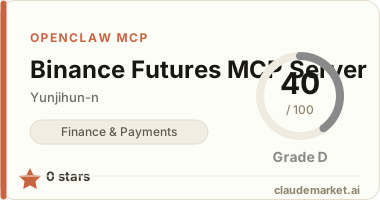
Enables natural language management of Binance USDS-margin futures trading, including balance checks, order placement, stop-loss/take-profit, and strategy backtesting.

README.md

Binance Futures MCP Server

Claude Code / Claude Desktop에서 자연어로 바이낸스 USDS-마진 선물 거래를 관리하는 MCP 서버.

개발을 모르는 사람도 "잔고 얼마야?", "비트코인 롱 잡아줘", "2% 손절 걸어" 같은 말로 선물 거래를 할 수 있습니다.

기능 (27개 도구)

| 카테고리 | 도구 | 설명 | |---------|------|------| | 계좌 | check_balance, view_positions, account_summary, income_history | 잔고, 포지션, 수익 내역 조회 | | 시장 | get_price, get_market_stats, get_funding_rate | 현재가, 24시간 통계, 펀딩레이트 | | 거래 | place_order, cancel_order, cancel_all_orders, view_open_orders, modify_order | 시장가/지정가 주문, 취소, 수정 | | 리스크 | set_stop_loss, set_take_profit, auto_sl_tp, set_trailing_stop, change_leverage, change_margin_type | 손절/익절, 트레일링 스탑, 레버리지 | | 전략 | list_strategies, view_strategy, create_strategy, modify_strategy, delete_strategy | 전략 생성/수정/삭제 | | 백테스트 | run_backtest, quick_backtest, backtest_data_guide | 과거 데이터로 전략 테스트 | | 설정 | switch_mode | 테스트넷/실거래 전환 |

안전장치

  • 테스트넷 기본: 시작 시 항상 테스트넷. 실거래 전환은 2단계 확인 필요
  • 2단계 확인: 주문, 취소, 레버리지 변경 등 위험한 작업은 확인 토큰으로 재확인
  • 감사 로그: 모든 도구 호출을 audit.jsonl에 기록

설치

1. 코드 다운로드

git clone https://github.com/younjihoon/mcp-binance-futures.git
cd mcp-binance-futures

2. 의존성 설치

# Poetry 사용
poetry install

# 또는 pip 사용
pip install -e .

3. 바이낸스 API 키 발급

  1. 바이낸스 계정 생성 및 로그인
  2. API Management에서 API 키 생성
  3. 선물 거래 권한 활성화
  4. (선택) 테스트넷에서 테스트용 키 발급

4. Claude Code에 MCP 등록

프로젝트 루트에 .mcp.json 파일 생성:

{
  "mcpServers": {
    "binance-futures": {
      "command": "poetry",
      "args": ["--directory", "/path/to/mcp-binance-futures", "run", "mcp-binance-futures"],
      "env": {
        "BINANCE_TESTNET_API_KEY": "여기에_테스트넷_API키",
        "BINANCE_TESTNET_SECRET_KEY": "여기에_테스트넷_시크릿키",
        "BINANCE_LIVE_API_KEY": "여기에_실거래_API키",
        "BINANCE_LIVE_SECRET_KEY": "여기에_실거래_시크릿키"
      }
    }
  }
}

/path/to/mcp-binance-futures를 실제 설치 경로로 변경하세요. 테스트넷만 사용할 경우 LIVE 키는 비워두어도 됩니다.

5. Claude Code 재시작

MCP 서버가 자동으로 연결됩니다.

사용 예시

"내 잔고 얼마야?"
"비트코인 현재가"
"이더 0.1개 롱 시장가로 잡아줘"
"지금 포지션에 2% 손절 5% 익절 걸어"
"레버리지 10배로 변경"
"eth_scalp 전략 만들어줘 - ETHUSDT 롱 0.05개, 손절 1.5%, 익절 3%"
"그 전략으로 최근 7일 백테스트"

멀티 심볼 지원

BTCUSDT, ETHUSDT, SOLUSDT 등 바이낸스 USDS-마진 선물의 모든 심볼을 지원합니다.

요구 사항

  • Python >= 3.11
  • Poetry (권장) 또는 pip
  • 바이낸스 선물 계정 + API 키
  • Claude Code 또는 Claude Desktop

라이선스

MIT

See related servers & alternatives →

Related MCP servers

Browse all →

Related guides

Hand-picked reading to help you choose and use Finance & Payments servers.