contextlayer-mcp logo

contextlayer-mcp

autoblocksai/ctxl
v0.0.2STDIORegistry activeCommunity

Is this your server?

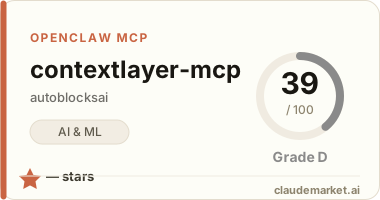
Add your score badge to your README and get your server in front of 45k+ builders a month.

Works with

Claude CodeClaude DesktopCursorVS CodeClineCodex CLIOpenClaw+ any MCP client

Install to Claude Code

claude mcp add ctxl -- npx -y ctxl

Summary

Personal context management for AI assistants

Connect from your MCP client

One-click install

Add this server to your editor with a single click. Fill in any required credentials afterward.

Claude Code

Run this once and Claude Code registers the server for you:

claude mcp add ctxl -- npx -y ctxl

Claude Desktop

Add this to claude_desktop_config.json under Settings → Developer → Edit Config:

{
  "mcpServers": {
    "ctxl": {
      "command": "npx",
      "args": [
        "-y",
        "ctxl"
      ]
    }
  }
}

Cursor

Add this to .cursor/mcp.json in your project (or ~/.cursor/mcp.json for all projects):

{
  "mcpServers": {
    "ctxl": {
      "command": "npx",
      "args": [
        "-y",
        "ctxl"
      ]
    }
  }
}

Cline and other MCP clients

Most MCP clients accept the standard mcpServers JSON block:

{
  "mcpServers": {
    "ctxl": {
      "command": "npx",
      "args": [
        "-y",
        "ctxl"
      ]
    }
  }
}

Codex CLI

Register the server with OpenAI's Codex CLI — run this once, or add the equivalent block to ~/.codex/config.toml:

codex mcp add ctxl -- npx -y ctxl

# or add to ~/.codex/config.toml:
[mcp_servers.ctxl]
command = "npx"
args = ["-y", "ctxl"]

OpenClaw

OpenClaw reads MCP servers from the mcp.servers section of ~/.openclaw/openclaw.json (managed via `openclaw mcp add` or the mcporter skill):

{
  "mcp": {
    "servers": {
      "ctxl": {
        "command": "npx",
        "args": [
          "-y",
          "ctxl"
        ]
      }
    }
  }
}

Overview

Personal context management for AI assistants

Getting started

Add contextlayer-mcp to your MCP-capable client — Claude Code, Cursor, Codex, and others. It ships as an installable package; follow the setup in the official repository, which documents the exact command, configuration, and any required API keys.

See related servers & alternatives →

Related MCP servers

Browse all →

Related guides

Hand-picked reading to help you choose and use AI & ML servers.





