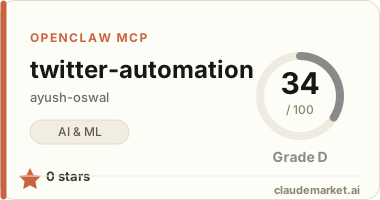
Twitter Automation MCP Server
A Model Context Protocol (MCP) server that enables Claude to automate Twitter posting with AI-generated images and thread support.
Features
- 🎨 AI Image Generation - Generate images using Google AI Gemini 2.0 Flash
- 🔗 URL Image Support - Add images from URLs
- 🐦 Twitter Integration - Full Twitter API v2 support with media upload
- 🧵 Thread Support - Automatic thread creation with proper reply chains
- 📏 Length Validation - Prevents 280+ character tweets with clear error messages
- 🔄 Auto Upload - Images automatically upload when posting tweets
Quick Start
1. Install Package
npm install -g twitter-automation-mcp2. Get API Keys
Twitter API Keys: Follow this guide to generate your Twitter API keys and tokens: 👉 Generate Twitter API Keys & Tokens
Google AI API Key: Get your key from Google AI Studio
3. Configure Claude Desktop
Add to your Claude Desktop MCP config:
Option A: Using NPM Package (Recommended) ``json { "mcpServers": { "twitter-automation": { "command": "npx", "args": ["twitter-automation-mcp"], "env": { "TWITTER_API_KEY": "your_api_key", "TWITTER_API_SECRET": "your_api_secret", "TWITTER_ACCESS_TOKEN": "your_access_token", "TWITTER_ACCESS_TOKEN_SECRET": "your_access_token_secret", "GOOGLE_AI_API_KEY": "your_google_ai_key" } } } } ``
Option B: Using Local Installation ``json { "mcpServers": { "twitter-automation": { "command": "node", "args": ["path/to/twitter-automation/dist/index.js"], "env": { "TWITTER_API_KEY": "your_api_key", "TWITTER_API_SECRET": "your_api_secret", "TWITTER_ACCESS_TOKEN": "your_access_token", "TWITTER_ACCESS_TOKEN_SECRET": "your_access_token_secret", "GOOGLE_AI_API_KEY": "your_google_ai_key" } } } } ``
4. Restart Claude Desktop
Restart Claude Desktop to load the MCP server.
Usage
Simple Tweet
Post this tweet: "Hello world! 👋 #FirstTweet"Tweet with AI-Generated Image
Generate an image of a robot coding, then post: "AI is the future! 🤖💻"Tweet with URL Image
Add this image https://example.com/image.jpg then post: "Check this out!"Twitter Thread
Post this tweet: "Here's what I learned about AI 🧵"
With thread: ["First insight about machine learning", "Second point about neural networks"]
Thread with Images
Generate an image "AI brain" for the main tweet
Add URL image https://example.com/chart.jpg for thread tweet 1
Then post the thread
Available Tools
generateImages- Generate AI images for specific tweets in threadaddImageFromUrl- Add existing images from URLs to specific tweetspostTweet- Post tweets with automatic image upload and validation
Error Handling
The server provides clear error messages:
- Length validation: "Main tweet content is 287 characters, which exceeds the 275 character limit"
- Missing credentials: Clear indication of which API keys are missing
- Twitter API errors: Descriptive error messages with context
Requirements
- Node.js 18+
- Twitter Developer Account with Read & Write permissions
- Google AI Studio API access
Troubleshooting
"403 Forbidden" errors: Ensure your Twitter app has Read & Write permissions and regenerate access tokens after changing permissions.
"Image upload failed": Check that your images are valid PNG/JPG files under 5MB.
"Content too long": Each tweet must be under 275 characters. Split long content into thread tweets.
Deployment
Want to deploy this MCP server or run it in a container?
👉 See DEPLOYMENT.md for deployment options:
- NPM Package - Publish and use with
npx(recommended) - Docker Container - Run in isolated environment with full environment variable setup
License
MIT