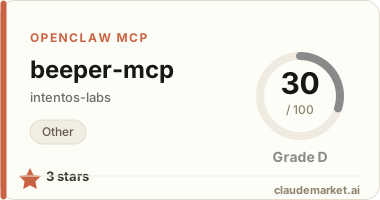
beeper-mcp
A backend service for executing beeper transactions on Binance Smart Chain (BSC). This service provides a set of tools for interacting with the BSC blockchain, including balance checking, balance transfers, token transfers, token swaps in Pancakeswap and beeper reward claims.
Features
- Get BNB and token balances
- Transfer BNB and tokens
- Swap tokens in Pancakeswap
- Get token prices
- Buy and sell tokens
- Claim rewards of beeper tokens
- Manage default wallet and token addresses
Prerequisites
- Python >=3.10
- Access to BSC network (mainnet or testnet)
- Wallet account and private key
Environment Variables
Create a .env file in the project root with the following variables:
BEEPER_CHAIN=<bsc or bsc-testnet>
BEEPER_ACCOUNT=<your-wallet-address>
BEEPER_SECRET_KEY=<your-private-key>
BEEPER_TARGET_TOKEN=<default-token-address>  # Optional
API Endpoints
The service exposes the following MCP tools:
Wallet and Token Management
get_default_wallet_address() -> str: Get the default wallet addressget_default_token_address() -> str: Get the default token addressswitch_default_token_address(new_token_address: str) -> str: Switch to a new default token address
Balance Operations
get_balance(address: str) -> str: Get BNB balance of an addressget_token_balance(address: str, token_address: str) -> str: Get token balance of an address
Transfer Operations
transfer(recipient_address: str, amount: Decimal = 0.01) -> dict: Transfer BNB to an addresstransfer_token(recipient_address: str, token_address: str, amount: Decimal = 0.01) -> dict: Transfer tokens to an address
Trading Operations
swap_token(token_in: str, token_out: str, amount: Decimal = 0.01) -> dict: Swap between tokensget_token_price(token_address: str) -> float: Get token price in BNBbuy_token(token_address: str, amount: Decimal = 0.01) -> dict: Buy tokens with BNBsell_token(token_address: str, amount: Decimal = 0.01) -> dict: Sell tokens for BNB
Reward Operations
claim_rewards(token_address: str) -> dict: Claim rewards for a token
Running the Service
git clone https://github.com/unibaseio/beeper-mcp.git
cd beeper-mcp
# start server over stdio
uv run src/beeper_mcp/server.py
+ start using sse
The sse service will start on port 8000 by default. You can specify a different port using the --port argument:
uv run src/beeper_mcp/server.py --port 8008 --transport=sseConfiguration on Claude/Windsurf/Cursor/Cline
{
  "mcpServers": {
    "beeper": {
      "command": "uv",
      "args": [
        "--directory",
        "path/to/beeper-mcp",
        "run",
        "src/beeper_mcp/server.py"
        ],
      "env": {
        "BEEPER_ACCOUNT": "your account, 0x...",
        "BEEPER_SECRET_KEY": "your private key or in .env",
        "BEEPER_TARGET_TOKEN": "default token address",
        "BEEPER_CHAIN": "chain type <bsc/bsc-testnet>"
      }
    }
  }
}
Notes
- All amounts are in native units (e.g., BNB, tokens)
- Token addresses should be provided in the correct format
- Make sure you have sufficient BNB for gas fees
- The service supports both BSC mainnet and testnet
- All operations return detailed response objects with transaction hashes and status information
- The service includes built-in error handling and status tracking for transactions
Usage
call functions in llm chat
+ show wallet and buy tokens
+ sell tokens