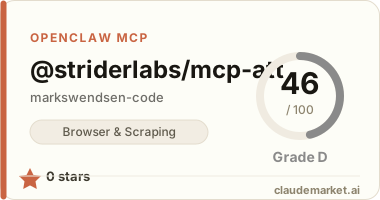
@striderlabs/mcp-att
MCP (Model Context Protocol) server for AT&T telecom account management. Automates att.com using Playwright with optional Browserbase cloud browser support.
Tools
| Tool | Description | |------|-------------| | get_account_overview | Current plan, balance due, and usage summary | | get_usage_details | Detailed data / call / text usage breakdown | | pay_bill | Initiate a one-time bill payment | | get_bill_history | View past bills | | check_upgrade_eligibility | Check device upgrade eligibility for a line |
Installation
npm install @striderlabs/mcp-attOr use the tarball directly:
npm install /path/to/striderlabs-mcp-att-1.0.0.tgzUsage
With Claude Desktop
Add to ~/Library/Application Support/Claude/claude_desktop_config.json:
{
  "mcpServers": {
    "att": {
      "command": "npx",
      "args": ["-y", "@striderlabs/mcp-att"],
      "env": {
        "BROWSERBASE_CDP_URL": "wss://connect.browserbase.com?apiKey=YOUR_KEY"
      }
    }
  }
}
With Browserbase (recommended for production)
Set the BROWSERBASE_CDP_URL environment variable to connect to a Browserbase cloud browser session:
BROWSERBASE_CDP_URL="wss://connect.browserbase.com?apiKey=YOUR_BROWSERBASE_API_KEY" node dist/index.jsIf BROWSERBASE_CDP_URL is not set, a local headless Chromium browser is launched automatically.
Running locally
npm run build
node dist/index.js
Environment Variables
| Variable | Required | Description | |----------|----------|-------------| | BROWSERBASE_CDP_URL | No | Browserbase CDP WebSocket URL. If omitted, launches a local headless browser. |
Tool Reference
get_account_overview
Returns current plan name, account number, balance due, due date, and data usage summary.
Input: ``json { "username": "your-att-email@example.com", "password": "your-password" } ``
get_usage_details
Returns data used/remaining, talk minutes, and text message counts for the current billing period.
Input: ``json { "username": "your-att-email@example.com", "password": "your-password" } ``
pay_bill
Navigates to the payment page and pre-fills the amount. Does not automatically submit the payment — manual confirmation is required for security.
Input: ``json { "username": "your-att-email@example.com", "password": "your-password", "amount": 85.00, "payment_method": "Visa ending in 4242" } ``
get_bill_history
Returns a list of past bills with dates and amounts.
Input: ``json { "username": "your-att-email@example.com", "password": "your-password" } ``
check_upgrade_eligibility
Checks whether a line is eligible for a device upgrade and, if not, when it becomes eligible.
Input: ``json { "username": "your-att-email@example.com", "password": "your-password", "line_number": "2125551234" } ``
Security Notes
- Credentials are passed per-call and are never stored or logged.
- The
pay_billtool intentionally does not auto-submit payments; it requires manual confirmation. - Use Browserbase or another cloud browser provider so credentials are never processed on your local machine.
Development
npm install
npm run build       # compile TypeScript → dist/
npm run dev         # run with ts-node (requires ts-node)
npm pack            # create tarball
License
MIT