Featured

Deploy OpenClaw in 60 seconds — 20% off logoDeploy OpenClaw in 60 seconds — 20% off

Launch OpenClaw on Hostinger in about 60 seconds and keep your agent live 24/7. Our referral link gives you 20% off, no coupon code needed.

Launch on Hostinger
Run your Hermes agent on Hostinger, fully managed logoRun your Hermes agent on Hostinger, fully managed

Launch Hermes on Hostinger in one click, fully managed, no VPS knowledge needed. Use code ZACAARON10 for 10% off.

Launch on Hostinger
Crawl and scrape any site into clean data, 10% off logoCrawl and scrape any site into clean data, 10% off

Firecrawl crawls and scrapes any site into clean markdown for your agent. Get 1,000 free credits, and new users get 10% off their first purchase.

Try Firecrawl free
6,000+ web scrapers for your AI agent, start free logo6,000+ web scrapers for your AI agent, start free

Apify gives your agent live web data: 6,000+ prebuilt scrapers and actors, MCP-ready. Sign up free with $5 in usage credits.

Try Apify free
One API to scrape, enrich, and extract the internet. logoOne API to scrape, enrich, and extract the internet.

Context.dev gives your agents a single API to scrape, enrich, and extract live web data — no proxies, no parsers, no maintenance.

Start building free
SetupClaw: done-for-you OpenClaw for founders & exec teams logoSetupClaw: done-for-you OpenClaw for founders & exec teams

White-glove OpenClaw for founders and exec teams (4–50+ employees): we install, harden, integrate your tools, and maintain it — secured from day one.

Get it set up for you
SEO data APIs for your agent, $1 free credit logoSEO data APIs for your agent, $1 free credit

DataForSEO gives your agent live access to SERP results, keyword data, backlinks, and on-page SEO data through one API. New accounts get a $1 credit, good for up to 20,000 keyword or backlink lookups.

Try DataForSEO free
Reach 48,000+ AI builders

A flat monthly placement in front of developers actively installing AI tools. No lock-in, cancel anytime.

Advertise here

Works with

Claude CodeClaude DesktopCursorVS CodeClineCodex CLIOpenClaw+ any MCP client

Install to Claude Code

This server doesn't publish a one-line install command. Follow the setup in the source repository.

Summary

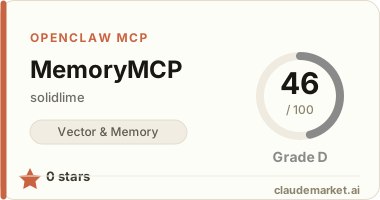
A persistent memory MCP server specialized for Japanese, featuring hybrid search, Ebbinghaus forgetting curve, entity knowledge graphs, and a web dashboard for memory visualization.

README.md

Nous

AI に永続記憶を。ペルソナを持った対話を。

![CI](https://github.com/solidlime/Nous/actions/workflows/ci.yml) ![License: MIT](LICENSE) ![Python 3.12+](https://www.python.org/)

NousMCP (Model Context Protocol) 対応の永続記憶サーバーです。Claude Desktop や OpenCode につなぐだけで、あなたの AI が「覚える」「思い出す」「検索する」能力を手に入れます。

---

できること

🧠 記憶システム

  • ハイブリッド検索: 意味検索 + キーワード検索で、ほしい記憶にすぐたどり着ける
  • 忘却曲線: よく使う記憶は強く、使わない記憶は自然に薄れる(Ebbinghaus モデル)
  • 自動記録: 会話中の重要情報を自動で記憶に保存

👤 ペルソナ管理

  • 複数ペルソナ: 複数の人格・ユーザーを完全に分けて管理
  • 感情・体調: ペルソナの感情状態や体調を追跡・減衰
  • アイテム・装備: 所持品と装備を管理。記憶作成時の装備状態を自動記録
  • 目標・約束: Goal / Promise のライフサイクルを追跡

💬 WebUI ダッシュボード

  • リアルタイムチャット: SSE ストリーミングで快適な会話
  • 記憶管理: 記憶の一覧表示・編集・削除・検索
  • 知識グラフ: エンティティ間の関係性を可視化
  • 設定画面: ブラウザから全ての設定を変更可能

🎨 オプション機能

  • 画像生成: ComfyUI 連携でペルソナの画像を自動生成(デフォルト OFF)
  • 音声合成: Irodori TTS による日本語音声出力(デフォルト OFF)
  • コード実行: Docker サンドボックスで Python/Bash を安全に実行

---

クイックスタート

git clone https://github.com/solidlime/Nous.git
cd Nous
docker compose up -d

起動したら http://localhost:26262 をブラウザで開くだけ。

環境変数(.env

# 必須: いずれか1つの LLM API キー
NOUS_ANTHROPIC_API_KEY=your_key
# NOUS_OPENAI_API_KEY=your_key
# NOUS_OPENROUTER_API_KEY=your_key

# オプション
TZ=Asia/Tokyo
DATA_ROOT=./data

---

LLM と接続する

Claude Desktop

claude_desktop_config.json に以下を追加:

{
  "mcpServers": {
    "nous": {
      "command": "npx",
      "args": ["-y", "mcp-remote", "http://localhost:26262/mcp"],
      "env": {
        "MCP_REMOTE_HEADER_X-Persona": "your_name"
      }
    }
  }
}

OpenCode

{
  "mcpServers": {
    "nous": {
      "url": "http://localhost:26262/mcp",
      "headers": {
        "X-Persona": "your_name"
      }
    }
  }
}

VS Code (GitHub Copilot)

{
  "mcpServers": {
    "nous": {
      "url": "http://localhost:26262/mcp",
      "headers": {
        "Authorization": "Bearer your_name"
      }
    }
  }
}

Persona の指定方法: 優先順位は Bearer トークン > X-Persona ヘッダー > 環境変数 PERSONA > デフォルト "default"

---

WebUI

http://localhost:26262 にアクセスすると、以下の画面が使えます:

| 画面 | できること | |------|-----------| | チャット | ペルソナとリアルタイム会話(SSE ストリーミング) | | オーバービュー | 記憶の統計・タグ分布・日次推移を表示 | | 記憶管理 | 記憶の一覧表示・編集・削除 | | 知識グラフ | エンティティ間の関係性を可視化 | | 設定 | チャット設定・LLM プロバイダー・API キーなどをブラウザから変更 |

---

ドキュメント

| ドキュメント | 内容 | |-------------|------| | Claude Desktop セットアップ | mcp-remote / mcp-proxy を使った接続手順 | | LLM 利用ガイド | LLM がツールを使う際のベストプラクティス | | アーキテクチャ | 技術スタック・ディレクトリ構造・設計パターン | | HTTP API リファレンス | REST API の詳細 | | 記憶機能 | 忘却曲線・検索・エンリッチメントの詳細 | | サンドボックス | Docker コード実行の設定とアーキテクチャ |

---

ライセンス

MIT License — 詳細は LICENSE を参照。

---

Nous — Built by solidlime

See related servers & alternatives →

Related MCP servers

Browse all →

Related guides

Hand-picked reading to help you choose and use Vector & Memory servers.